
Google’s March 2026 core update cut FAQ Rich Result impressions by 47% across healthcare sites while AI Mode citation rates jumped 3.2x for pages with clean entity schema. Senior care providers who had stacked every available schema type onto their pages watched their rich results vanish. The providers who focused on accuracy kept showing up. These seven rules separate the winners from everyone else.
TL;DR: Senior care schema markup in 2026 rewards accuracy and entity trust over volume. Focus on LocalBusiness schema, align markup to each page’s primary purpose, use JSON-LD format, and build SameAs entity links. FAQ and How-To schema now work only on pages where that content type is the main feature.
Always Start with LocalBusiness Schema, Not MedicalOrganization
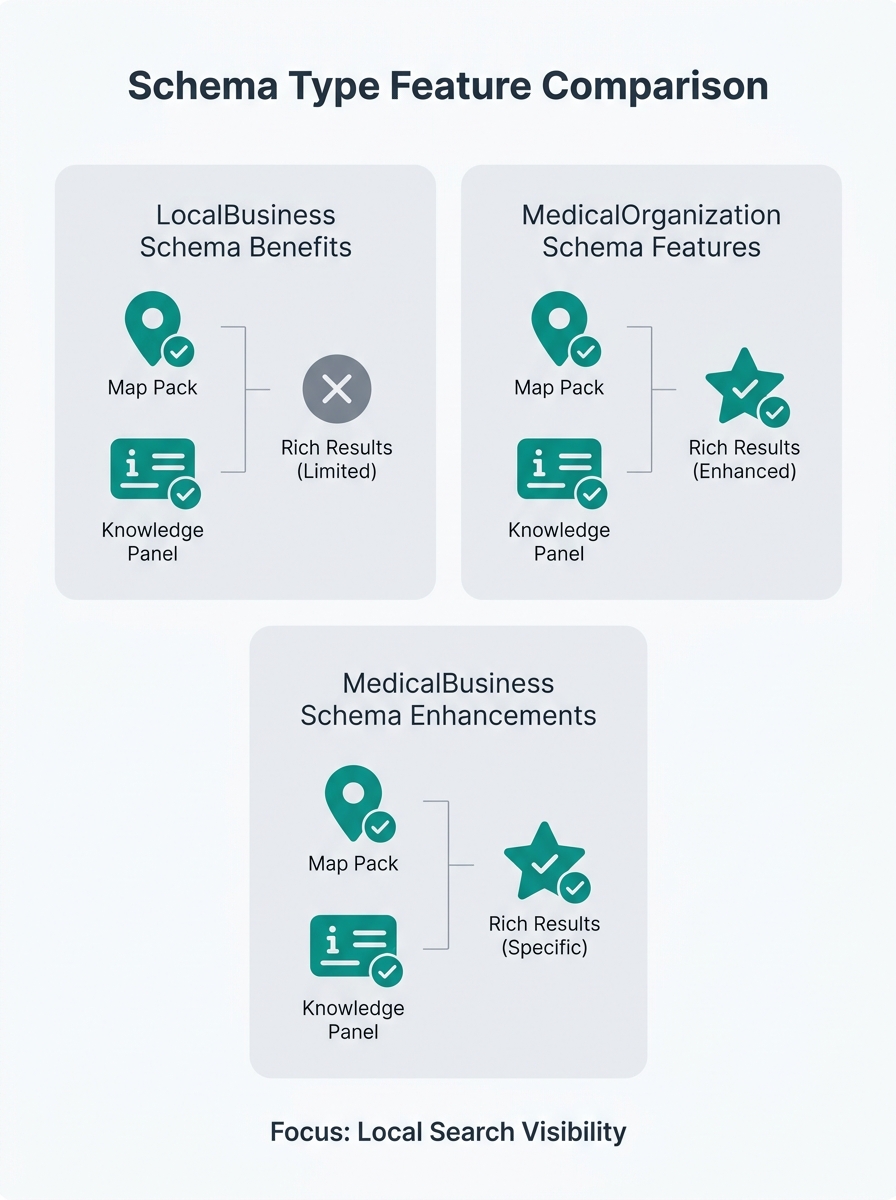
The single most important schema decision for any senior care provider is choosing the right base type. LocalBusiness (or its more specific subtypes like LocalBusiness > MedicalBusiness) gives you map pack eligibility and local search card displays. MedicalOrganization sounds more accurate for a nursing home or assisted living community, but Google treats it differently for local results.
Contributors on the Local Search Forum have recommended using “the organization or local business schema and utilizing the Product Types Ontology” to describe senior care subtypes accurately. This approach lets you specify what kind of care you provide without losing your local SEO structured data advantages.
Your LocalBusiness schema should include your NAP (name, address, phone), service area, operating hours, accepted payment types, and a description that names your city and neighborhoods. If you’ve already done a Google Business Profile audit, the information should match exactly. Any mismatch between your GBP listing and your schema data weakens Google’s confidence in your entity.
Match Every Schema Type to the Page’s Primary Purpose
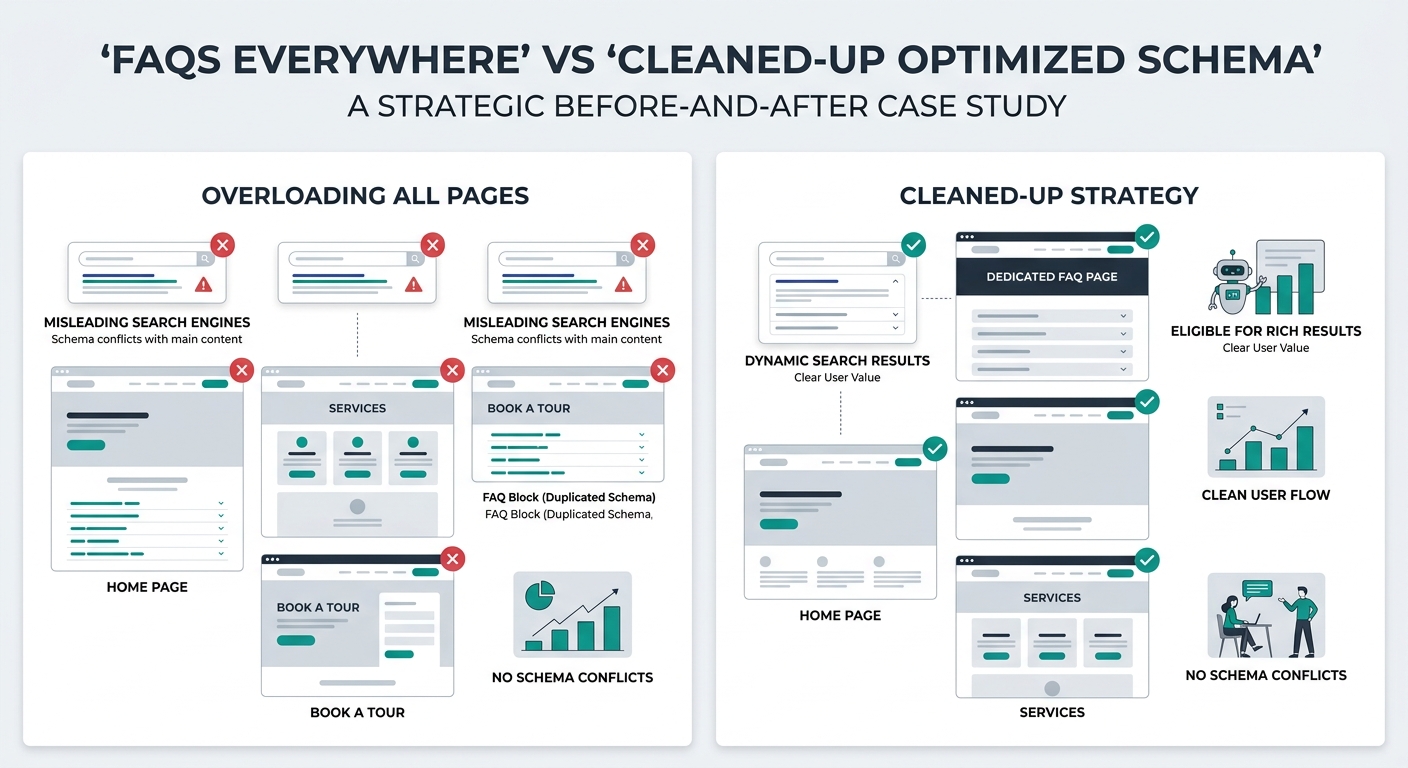
Google’s March 2026 core update introduced a strict rule: schema must reflect the page’s main content, not supplementary sections. A service page for memory care that happened to have three FAQs in a sidebar? That FAQ schema no longer qualifies for rich results. The 47% drop in FAQ Rich Result impressions hit healthcare sites especially hard because so many had tacked FAQ markup onto pages where the FAQs were an afterthought.
The fix is straightforward. Your service pages get LocalBusiness and Service schema. Your blog posts get Article schema with author Person schema for E-E-A-T signals. Your dedicated FAQ pages (the ones where the entire page is questions and answers) get FAQPage schema. Your staff bio pages get Person schema.
Warning: Adding schema types that don’t match a page’s primary content can now trigger demotion. Google’s documentation warns that “deliberately misleading schema risks manual actions.” Audit every page and remove schema that describes secondary content.
This content-schema alignment matters even more when you’re building neighborhood-level service pages. Each location page needs its own LocalBusiness schema with the correct address, service area, and localized description. Copying one schema block across 15 location pages with only the city name swapped is a pattern Google has gotten much better at detecting.
Use JSON-LD in the Document Head Every Time
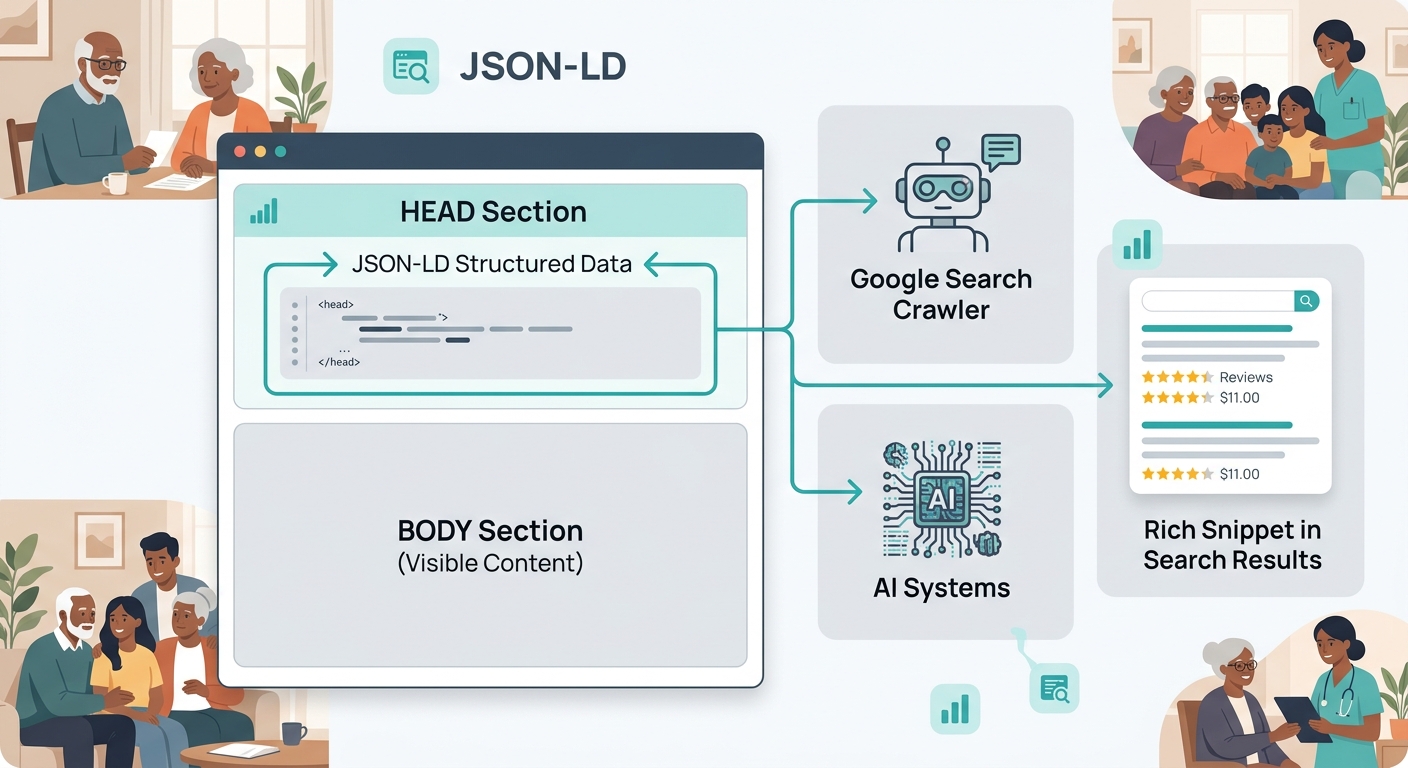
Google has stated clearly through their developer documentation that JSON-LD is the preferred structured data format. Microdata and RDFa still work technically, but JSON-LD is easier to maintain, easier to validate, and easier for AI systems to parse.
SEO practitioner Zach Sean noted in his featured snippets optimization guide that winning snippets requires you to “identify where featured snippet opportunities truly exist” by checking which of your target keywords already display snippet boxes. When your JSON-LD is clean and placed in the document head, search engines can connect your structured data to those snippet opportunities faster.
Reddit’s SEO community has consistently backed this approach. One practitioner shared that they use “J.D. Flynn’s JSON-LD Generator Tool and it passes all Google structured data tests,” while confirming that Google prefers JSON-LD for the format’s clarity and maintainability.
Place your JSON-LD block inside the head tag of your HTML, before the closing head element. Don’t scatter it through the body. Don’t rely on plugins that inject it at the bottom of the page. Head placement gives search crawlers the structured data before they even start processing your visible content.
Build Entity Trust with SameAs Links Before Chasing Rich Results
The biggest shift in senior care schema markup after March 2026 is the move from rich-result chasing to entity verification. Sites with clean entity schema saw AI Mode citation rates increase by 3.2x. The mechanism behind this is the SameAs property.
SameAs links connect your organization’s schema to authoritative profiles elsewhere on the web: your Google Business Profile URL, your LinkedIn company page, your Yelp listing, your A Place for Mom profile, your Wikidata entry if you have one. Each SameAs link helps Google confirm that your organization is a real, verified entity. That confirmation feeds into Knowledge Graph recognition, which feeds into AI Overview citations.
According to SchemaApp’s healthcare markup analysis, “healthcare organizations can improve their SEO performance and stand out competitively in search through Schema Markup” when the markup connects to verified entity data across platforms.
For nursing home schema SEO, this means your SameAs array should include your Medicare.gov facility page, your state licensing board listing, and any accreditation body profiles. These authoritative links carry more entity-verification weight than social media profiles alone.
Sites that shifted from maximizing rich result counts to building entity trust signals saw measurably improved citation rates in Google’s AI Mode answers.
If you’re running marketing for palliative care or rehabilitation center marketing alongside your primary senior care services, each distinct service line benefits from its own entity connections. A rehab program linked to its CMS certification page carries different entity signals than your main assisted living community profile.
Write FAQ Schema Only When FAQs Are the Main Content
Before March 2026, the standard advice was to add FAQ schema to every page that had any question-and-answer content. That strategy is dead. Google’s update made FAQ rich results available only when the FAQ section is the page’s primary purpose.
This means your dedicated FAQ page (“Frequently Asked Questions About Our Home Care Services”) still qualifies. Your blog post that ends with a three-question FAQ section does not. Your service page with a collapsible FAQ accordion at the bottom does not.
The practical impact: most senior care providers should remove FAQPage schema from 70-80% of the pages where they’ve placed it. Keep it on your true FAQ pages. Remove it everywhere else. The pages where you remove it won’t lose rankings. They’ll stop sending confusing signals to Google about what the page is actually about.
For home care featured snippets specifically, your FAQ pages should target the exact questions families search for. How family decision journeys actually work in your market tells you what those questions are. “How much does home care cost in [city]?” and “What’s the difference between home care and assisted living?” are high-snippet-probability queries when your FAQ page is structured to answer them directly.
Validate Every Page with Google’s Rich Results Test Before Publishing
Validation catches errors that are invisible in your CMS. A missing closing bracket, a misspelled property name, or an incorrectly nested item type can make your entire schema block unreadable to Google. You won’t get an error message. Your rich results will simply never appear.
Google’s Rich Results Test (available at search.google.com/test/rich-results) shows you exactly what Google can and can’t read from your markup. Run every page through it before publishing. Run it again after any CMS update or plugin change. Schema that validated six months ago can break silently after a WordPress update.
For assisted living search visibility across a multi-location operation, build validation into your publishing workflow. Designate one person on your marketing team (or your agency) as the schema validator. Every new page, every updated page, every new location page goes through the test before it goes live.
Tip: Set a monthly calendar reminder to re-validate your five highest-traffic pages. CMS updates, theme changes, and plugin conflicts can break schema without any visible change on the page itself.
Audit Your Schema Against Your Content Quarterly
Structured data drifts. You add a new service line but forget to update your schema. You change your hours seasonally but your LocalBusiness schema still shows summer hours in December. You close a satellite office but leave its schema on the old location page. Each mismatch erodes the trust signals you’ve built.
A quarterly audit takes about two hours for a typical senior care provider with 20-40 pages. Pull up each page, compare the visible content to the schema markup, and fix anything that doesn’t match. Pay special attention to:
- Service descriptions that have changed since the schema was written
- Staff members listed in Person schema who no longer work there
- Pricing or payment information that’s been updated on the page but not in the markup
- Location pages for offices or communities that have moved or closed
Providers who’ve invested in content strategies built around care decision stages already have a page inventory to work from. Use that same inventory as your schema audit checklist.
When These Rules Stop Applying
Schema markup standards change. Google’s treatment of structured data has shifted meaningfully three times in the past 18 months alone. The rules above reflect how senior care schema markup works right now, after the March 2026 core update settled.
They’ll break when Google next changes its rich result eligibility criteria, when a new schema type becomes available for senior care specifically, or when AI systems start preferring a different entity-verification method. The underlying principle will hold longer than any specific tactic: your schema should accurately describe what’s on the page, connect your organization to verifiable external sources, and use the format Google has told you it prefers. When the tactics shift, that principle keeps you oriented.
The providers getting buried in search results right now aren’t the ones who skipped schema entirely. They’re the ones who implemented it aggressively in 2024 and never revisited it. Schema markup is maintenance, not a one-time project. Treat it that way and your assisted living search visibility, your nursing home schema SEO, and your home care featured snippets will reflect the effort.