
Google’s local map pack controls which senior care providers families find first, and 65% of consumers now rely on AI-powered search features that extract answers directly from Google Business Profile data. Providers with incomplete, misconfigured, or stale GBP listings are disappearing from the results that drive phone calls and tour requests.
TL;DR: Senior care providers lose local search visibility because of wrong GBP categories, inconsistent name/address/phone data, decaying review velocity, and homepage-linked profiles. A quarterly audit targeting Google’s three confirmed ranking factors—proximity, prominence, and relevance—restores map pack positioning and inquiry volume.
Google Ranks Local Care Providers on Three Factors
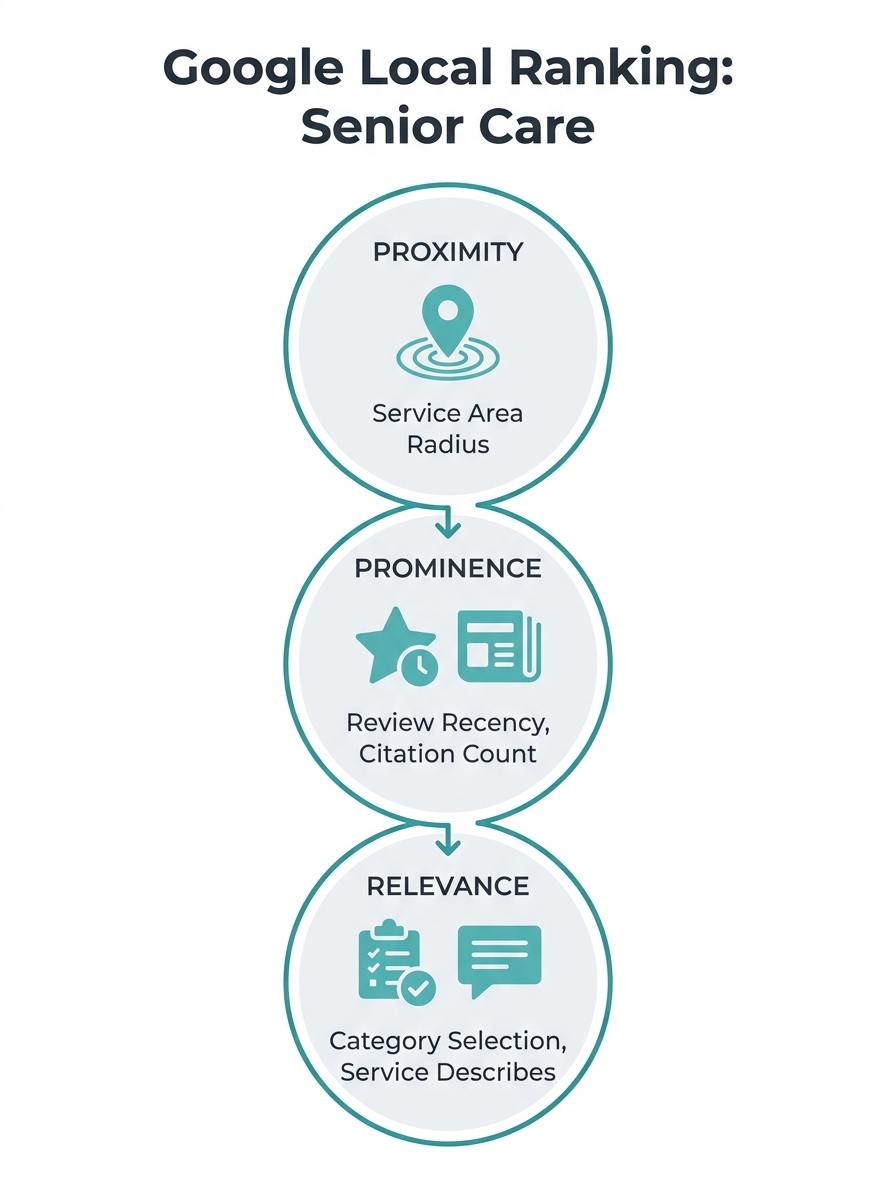
Google has stated that local rankings depend on three core factors: proximity, prominence, and relevance. Proximity measures physical distance between the searcher and your listed address or service area. Prominence reflects your reputation through review count, review quality, citation consistency, and backlink strength. Relevance captures how well your profile matches the searcher’s intent based on categories, descriptions, and website content.
For senior care specifically, these three factors interact in ways that catch providers off guard. A home care agency covering a 30-mile radius competes against every other agency in that zone, meaning proximity alone won’t differentiate you. An assisted living community with 200 reviews but none in the past 6 months can be outranked by a newer competitor with 40 recent reviews because Google weighs review recency heavily in its prominence calculations. And a provider categorized only as “Home Health Care Service” misses searches for “personal care aide” or “companion care” because Google doesn’t see the relevance signal.
Understanding these three factors gives you a diagnostic lens for every GBP audit finding. Each fix you make maps back to proximity, prominence, or relevance.
NAP Data and Business Name Configuration
The most common GBP audit failure in senior care is inconsistent NAP (Name, Address, Phone) data across directories. According to HCMP’s GBP optimization guide, Google expects you to use your “real-world” name, your doing-business-as name, which may differ from your legal entity name. Agencies that stuff keywords into their GBP business name (“ABC Home Care – Best Senior Care in Dallas TX”) risk suspension and send conflicting signals to Google’s entity recognition system.
Check your listing against every directory where your business appears: Yelp, A Place for Mom, Caring.com, your state licensing board, your Medicare.gov provider listing, and any local chamber of commerce pages. Every instance should show the identical business name, address format, and phone number. A mismatch as small as “Suite 200” versus “Ste. 200” creates a citation discrepancy that weakens your prominence score.
For home care agencies that serve clients at their homes rather than at a fixed office, service area configuration is especially important. Set your service area by city names or zip codes rather than a radius when possible. Google’s algorithm matches service-area businesses to searchers within those defined geographies, and a tight, accurate service area outperforms a vague 50-mile radius. Providers who’ve already explored the local search intent gap in senior care know how geography shapes which families find you.
Category Selection Drives Search Matching
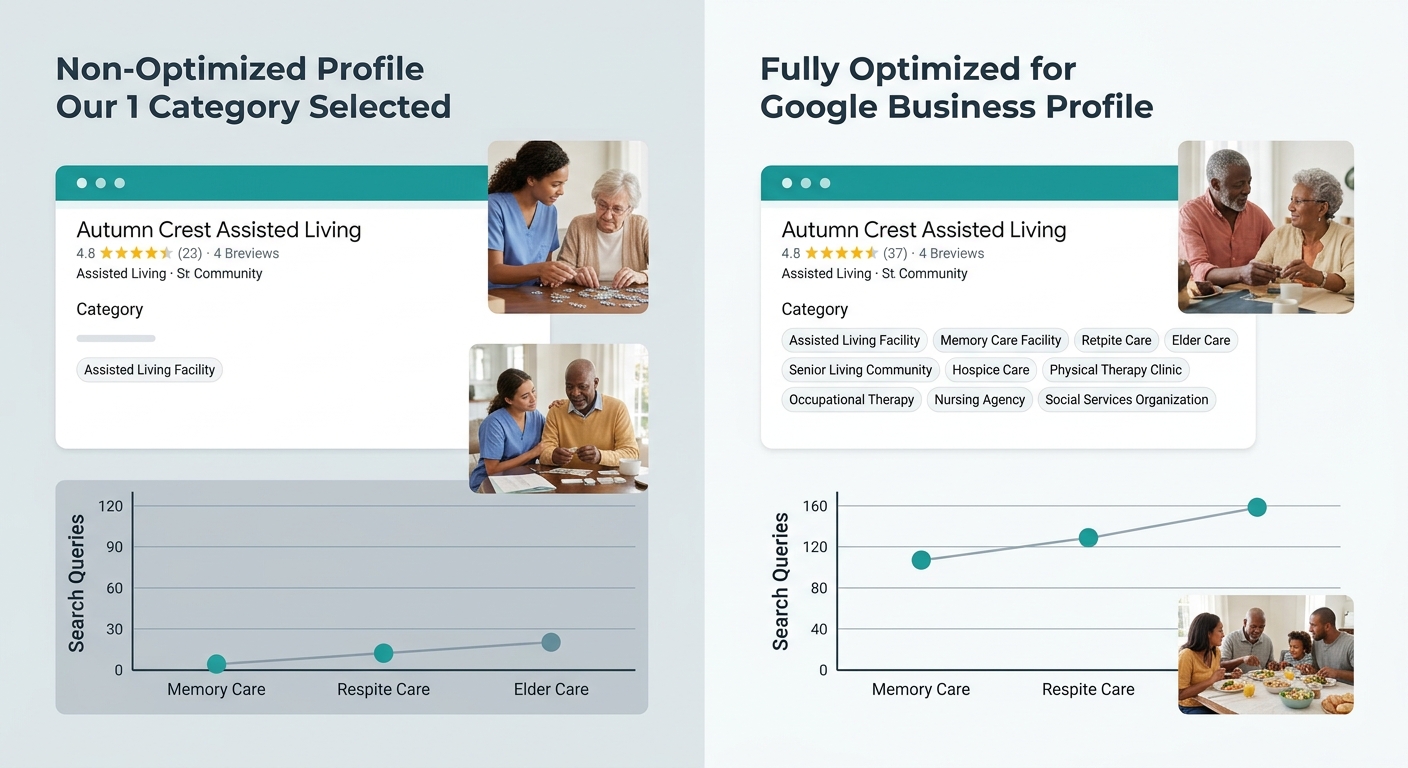
Google gives you 1 primary category and up to 9 secondary categories. Your primary category carries the most ranking weight, and choosing the wrong one is the single fastest way to lose visibility for your highest-value searches. An assisted living community that selects “Retirement Home” as its primary category won’t rank well for “assisted living near me” because Google treats these as different business types entirely.
| Provider Type | Recommended Primary Category | High-Value Secondary Categories |
|---|---|---|
| Home Care Agency | Home Health Care Service | Nursing Service, Elder Care Service, Disability Services |
| Assisted Living | Assisted Living Facility | Senior Citizen Center, Nursing Home, Group Home |
| Memory Care | Assisted Living Facility | Alzheimer’s Disease Center, Adult Day Care Center |
| Skilled Nursing | Nursing Home | Rehabilitation Center, Physical Therapy Clinic |
| Hospice | Hospice | Home Health Care Service, Palliative Care |
Fill all 10 category slots. Each secondary category opens visibility for a new set of search queries. An assisted living community that adds “Memory Care” and “Respite Care” as secondary categories will surface for families searching those specific terms. GBP optimization for assisted living hinges on these category decisions more than any other single profile setting.
Review Velocity Outweighs Total Review Count
A profile with 300 reviews and no new ones in 4 months will lose ground to a competitor with 80 reviews that gains 5 to 8 per month. Google’s algorithm treats review recency and velocity as active signals of business health. As Senior Living Smart’s GBP guide emphasizes, reviews improve both visibility and engagement in senior living, and the map pack rewards profiles that demonstrate ongoing consumer interaction.
A competitor with 80 reviews gaining 5 per month will outrank your 300-review profile that hasn’t received a new review in 4 months.
The operational challenge for senior care is real: families are dealing with emotionally charged decisions, and asking for a review during a difficult transition feels awkward. Build the ask into your post-service workflow rather than relying on ad hoc requests. Send a review request 7 to 10 days after service begins, when the family has had enough experience to comment meaningfully but the positive first impression is still fresh. Track review velocity monthly. If you’re getting fewer than 4 new reviews per month for a single-location provider, your prominence signal is decaying.
Respond to every review within 48 hours. Google tracks owner response rates, and a profile with 100% response rate signals active business management. For negative reviews, a compassionate, specific response demonstrates the trust signals that families rely on when choosing care facilities. A thoughtful reply to a 2-star review often builds more credibility with prospective families than a dozen 5-star ratings with no owner response.
Connect Your GBP to a Local Landing Page
Too many senior care providers link their GBP to their homepage. The homepage typically targets brand-level keywords and broad service descriptions. For stronger local SEO visibility in home care, link your GBP to a dedicated local landing page that reinforces entity alignment between your profile and your website, matching the city name, service types, and contact information exactly.
This local landing page should include your full NAP data (matching the GBP listing character for character), a description of services specific to the community you serve, embedded Google Maps showing your location or service area, and schema markup for LocalBusiness. Providers who already have a geographic SEO hierarchy with sub-service pages are well positioned here because those pages naturally align with GBP category and service area data.
The page you link to also needs conversion elements. Families searching “home care near me” or “assisted living in [city]” are high-intent searchers. Your landing page should feature a visible phone number, a short inquiry form, and social proof: review snippets, accreditation badges, and staff photos. Google crawls the linked page to verify entity data and assess relevance, and the page’s engagement metrics (bounce rate, time on page, form submissions) feed back into your prominence score.
The Quarterly Audit Checklist
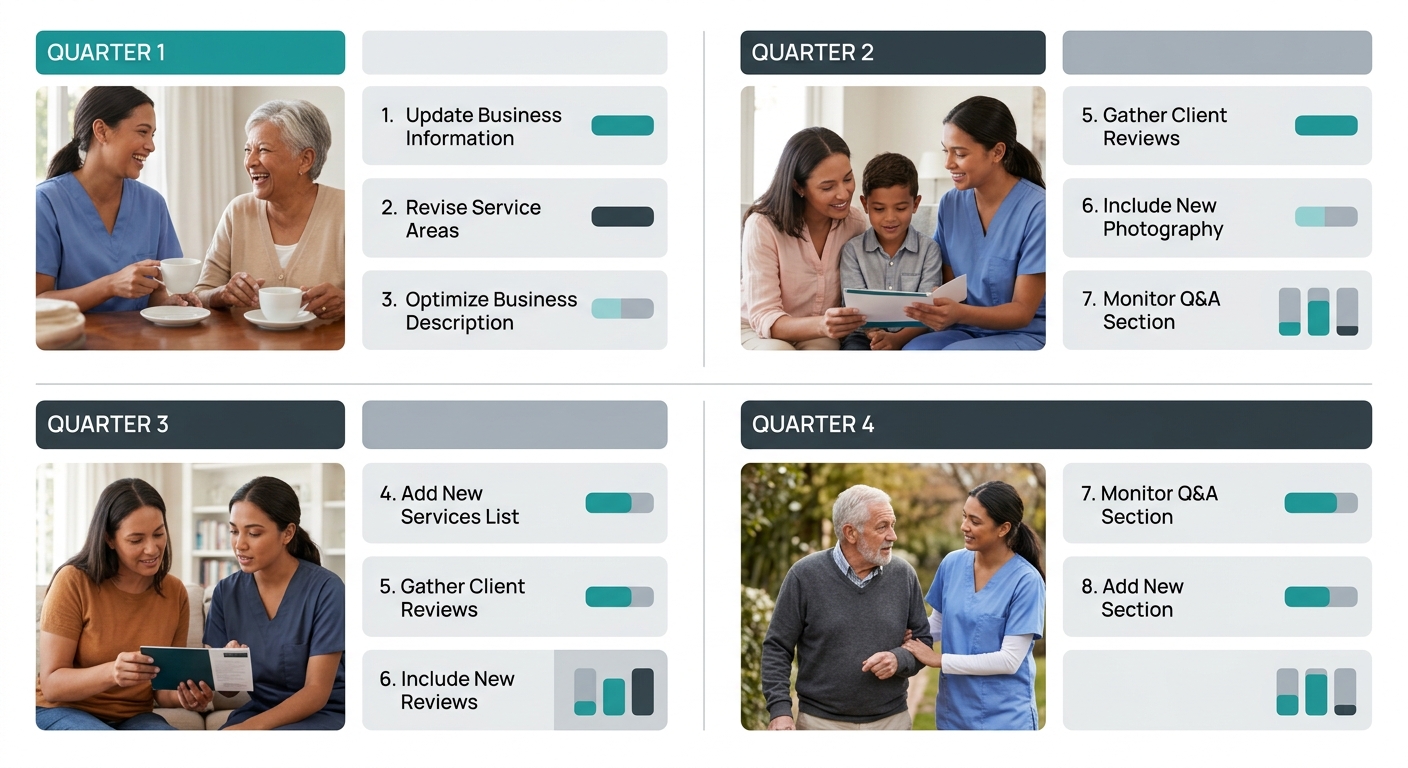
GBP data degrades over time. Google users can suggest edits to your listing. Staff turnover changes phone numbers. Hours shift seasonally. A quarterly Google Business Profile audit for senior care providers prevents small inaccuracies from compounding into visibility losses. Here’s what to check every 90 days:
- NAP accuracy across GBP, website, and your top 10 citation sources
- Category alignment with current services offered (add categories if you’ve expanded into memory care, respite care, or skilled nursing)
- Review velocity trend over the past 90 days compared to your top 3 local competitors
- Photo freshness (upload 5 to 10 new images per quarter showing real staff, real facilities, real community involvement)
- Q&A section seeded with the 5 questions families ask most frequently during intake calls
- Service descriptions updated to reflect any pricing changes, new service lines, or regulatory updates
- Landing page linkage verified and tested for mobile load speed under 3 seconds
Use a geo-grid ranking tool to map your visibility across your service area at the zip code level. These tools show you exactly where your listing appears in the map pack and where it drops off. The data often reveals that you rank well near your physical address but disappear 5 miles out, which tells you the fix is service-area configuration and citation building for those specific zip codes rather than broad profile changes.
Agencies investing in home care SEO should treat this GBP audit as the foundation layer. Technical SEO, content marketing, and backlink building all perform better when the GBP is accurate and active because Google cross-references entity signals across your entire web presence.
Tip: Set a recurring calendar event for the first Monday of each quarter. Block 2 hours to run through all 7 audit points. Document findings in a shared spreadsheet so you can track quarter-over-quarter changes in review velocity, photo count, and geo-grid rankings.
What Still Isn’t Settled
Google’s local algorithm changes frequently without public documentation, and several open questions affect care providers specifically. How much weight does Google give to GBP messaging engagement (the chat feature) as a local search ranking factor? Early usage data suggests it matters, but Google hasn’t confirmed it explicitly. Will AI Overviews continue pulling from GBP data at the current rate, or will Google shift toward website content as AI search matures? And as more providers work to appear in AI-powered search results, will the current advantage of a well-maintained GBP listing narrow as the baseline rises?
What is settled: providers with inconsistent NAP data, empty category slots, stale reviews, and homepage-linked GBP listings are losing visibility to competitors who’ve addressed these fundamentals. The audit framework above covers the factors Google has explicitly identified as ranking signals. The providers who run it quarterly will see compounding benefits in map pack placement, tour inquiries, and phone call volume. The ones who don’t will keep wondering why the phone stopped ringing.